So I recently stumbled upon a problem provoked by a random craving of launching a VPN-LAN party with my friends. The game we chose is called Minecraft, and it suggests, that one can easily host a game by launching a singleplayer game and then clicking the “Open to LAN” button. Thing is, it doesn’t work that well on VPN’s.
We chose to connect by a Hamachi network, I was the one who hosted the server. I did it by the means I described in the last paragraph, and – to my sheer surprise – no one could connect, everyone was being kicked from the server with a mysterious prompt of:
 Failed to log in: The authentication servers are currently down for maintenance.
That’s weird, isn’t it? But anyway, my idea was – let’s just launch Minecraft with access only to the VPN network, not to the internet itself – maybe there will be no authentication attempts if it detects no Internet?
I proceeded to the scripting. Scripting, because on a Linux, one can run a process in a namespace, where it’s going to be sandboxed only to those network interfaces one selects.
Let’s list my interfaces then:
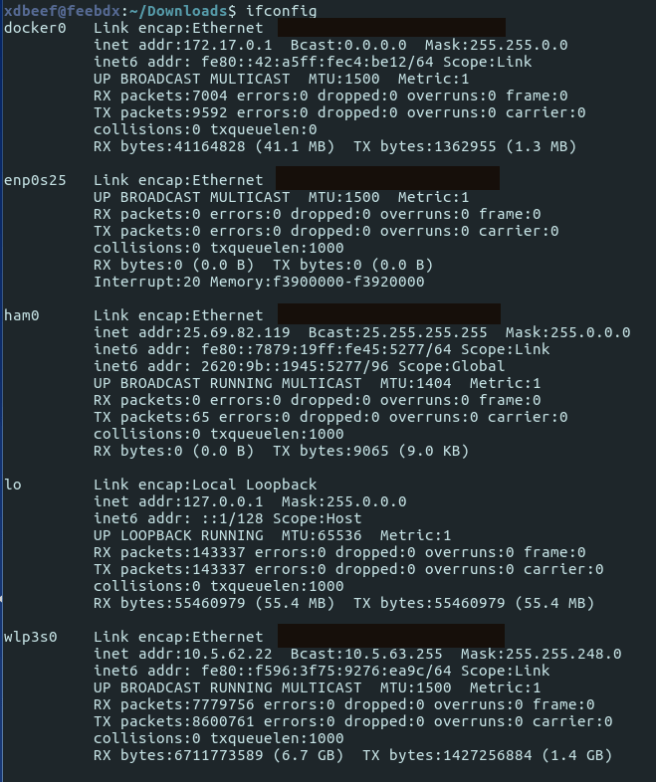
As you see, there’s a ham0 VPN interface that pops out after installing Hamachi, and wlp3s0 which provides me the Internet via WIFI. Now, as we know this, we need to run a minecraft-launcher in a namespace with ham0 only:
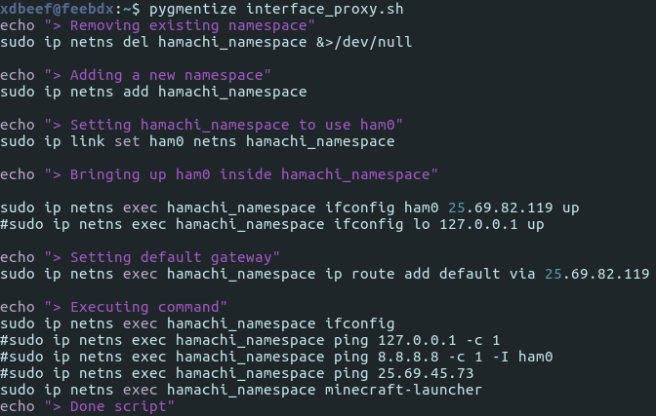
It does what it suggests in the echo’s. After running it I exclaimed SUCCESS!
Minecraft successfuly ran in the offline mode:

That’s great, but now it’s the worst part – my friends use Windows and I had no idea of scripting the same thing on it. I had luck, though – after googling I found out that someone wrote a small program that does exactly what my script did, but on Windows – it’s called ForceBindIP, and as it suggests, it binds a specific network interface / port to the process:
https://r1ch.net/projects/forcebindip
After installing, one can call Minecraft binded to its Hamachi IP by calling in cmd:
"C:\Program Files (x86)\ForceBindIP\ForceBindIP.exe" 25.60.2 33.140 "D:\Data\Minecraft\MinecraftLauncher.exe"
Where the first part is the place where ForceBindIP is installed, the second part is Hamachi IP and the third part is the Minecraft Launcher installation directory.
That’s the moment when we tried again to play. I hosted the game with a launcher I started with my script, my friend tried to connect via ForceBindIP and….
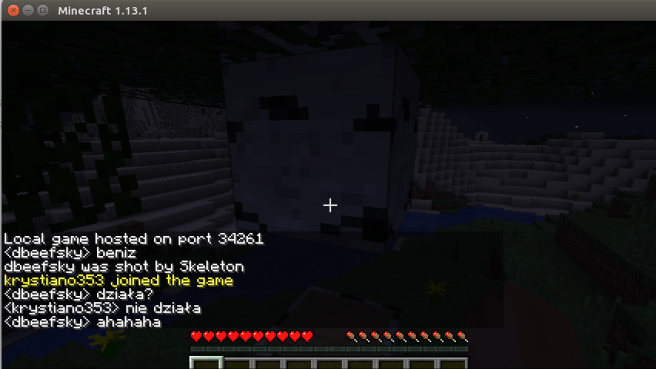
It worked!
And yes, I know that one can download only a *server* and it’s probably going to work – but if that so, why the Open to lan button anyway?
Sources:
https://superuser.com/questions/1004697/bind-application-to-a-specific-network-interface
 ./0xdbeef > blog.txt